Help and FAQs
| Site: | RESHAPED Dev Site |
| Course: | RESHAPED Dev Site |
| Book: | Help and FAQs |
| Printed by: | |
| Date: | Friday, 16 October 2026, 1:57 PM |
Introduction

Welcome to the Help and FAQs guide to RESHAPED. To access the table of contents select the arrow symbol at the top right-hand side of the screen.
How do I log on?
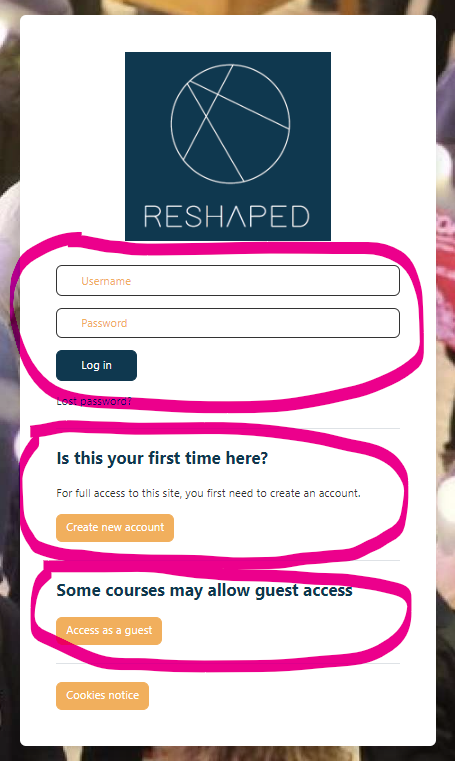 You can log on to RESHAPED either as a:
- a guest user
This will provide you with a general overview of the platform without setting up a user account with RESHAPED. It will allow you a limited view of the content on some of the courses and hubs, and you won't be able to participate in all the activities or receive a course completion badge or certificate. To access RESHAPED as a guest, go to the login page and select 'Access as a guest'.
or
- an enrolled user
For enrolled user access, you will need to set up an account and provide a username and password. This will provide you with access to almost all our courses and hubs and enable you to participate fully in these in their activities. To access RESHAPED as an enrolled user, you will first of all need to select 'Create a new account' and enter your details.
Please note that there is a small number of courses for which you will not be able to self-enrol.
What are hubs?
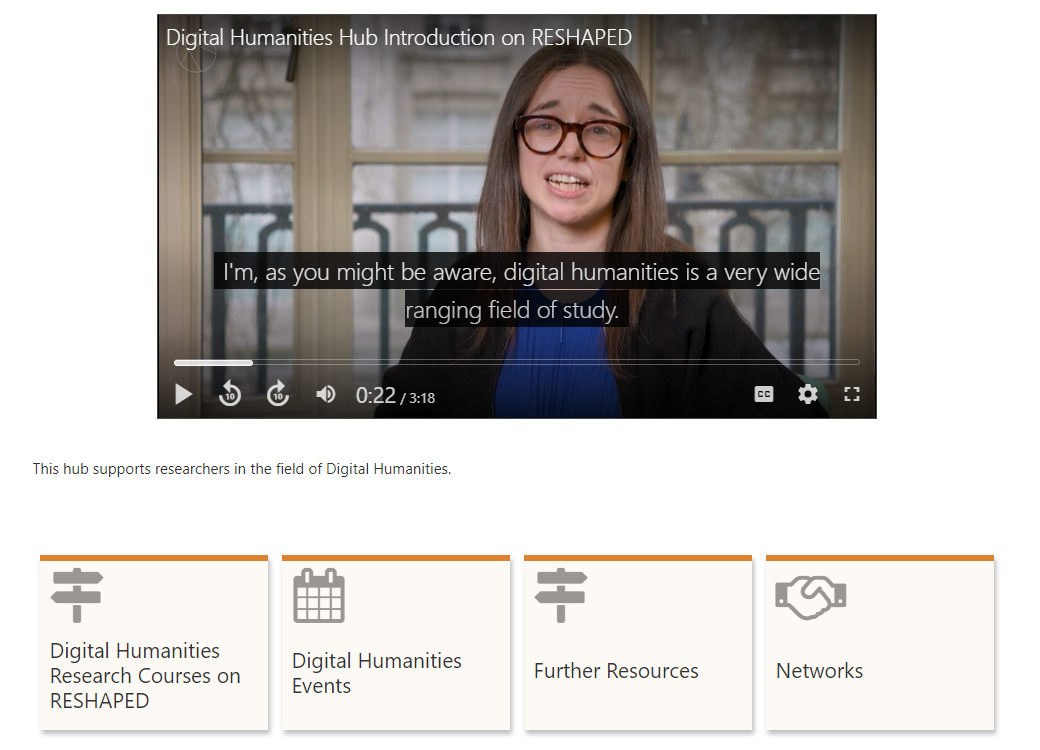
Hubs are the beating heart of RESHAPED. They are the points connecting the humanities skills development resources, communities and events across the UK.
Hubs are curated spaces organised around interdisciplinary themes where you’ll find updates, training resources, live training events and networks from inside RESHAPED and beyond. Hubs also include suggested learning journeys where hub curators have assembled collections of resources and courses to assist you in developing different aspects of your growth as researchers.
What are courses?
Courses are units of learning for you to work your way from the beginning to the end. For most courses, you will receive a badge or certificate for successful completion.
There are two types of course on RESHAPED which are described below.
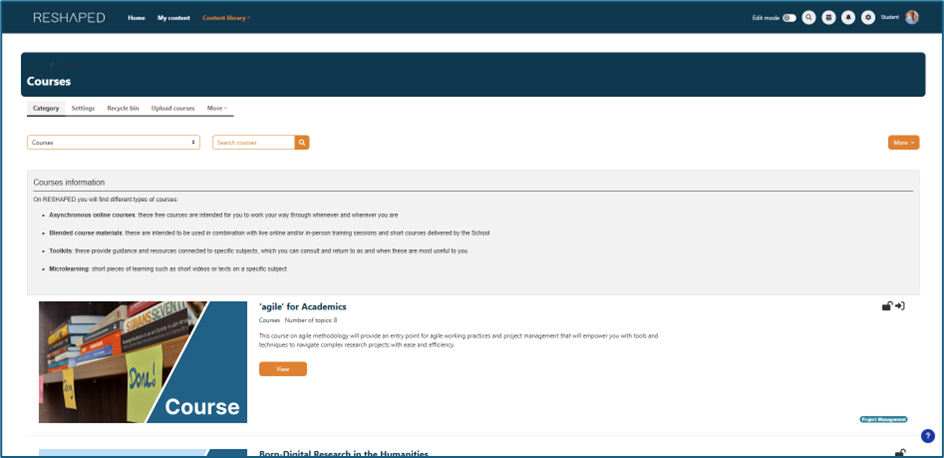
- Asynchronous online courses: these free courses are intended for you to work your way through whenever and wherever you are
- Blended course materials: these are intended to be used in combination with live online and/or in-person training sessions and short courses delivered by the School.

What are toolkits?
Toolkits provide guidance and resources connected to specific subjects, which you can consult and return to as and when you need them. You do not need to take the from start to finish, you can pick out the bits that are relevant to you. They also contain multimedia content and interactive tasks where you can demonstrate what you have learned.

How do I get to the courses I want?
There three ways.
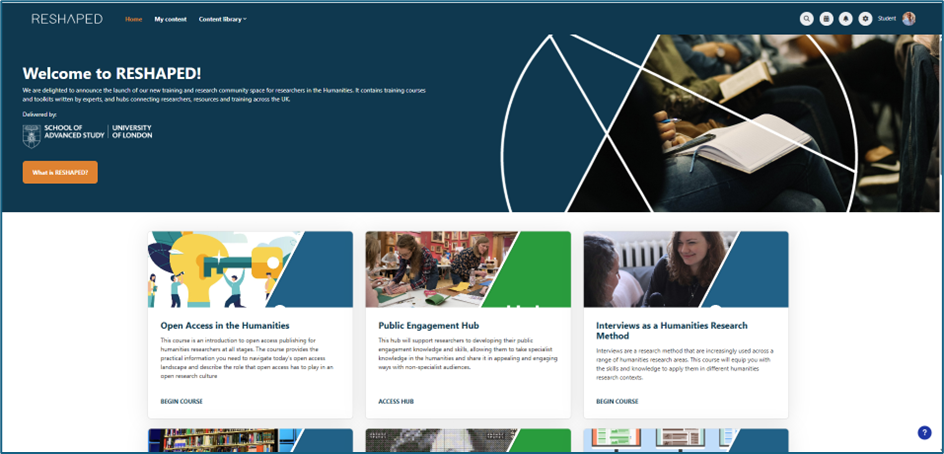
- You can select the
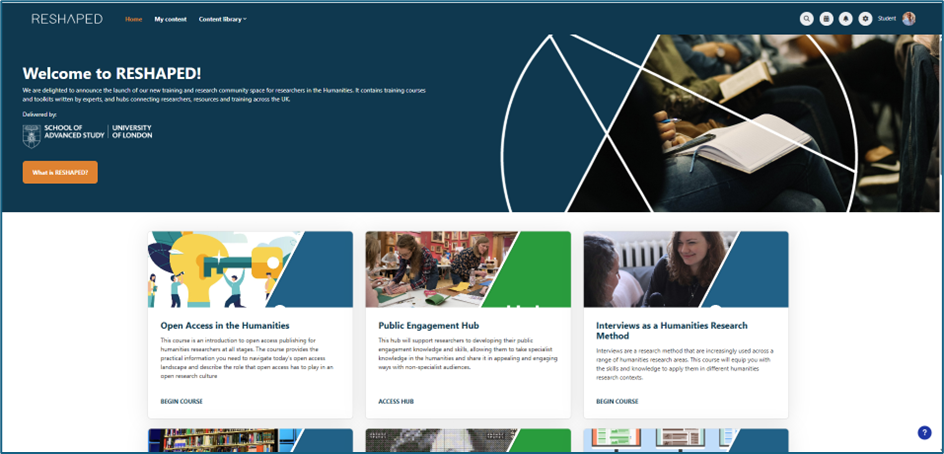
course you want from the collection at the foot of the homepage. Please note
that this does not include all the courses available and includes some hubs and
toolkits.
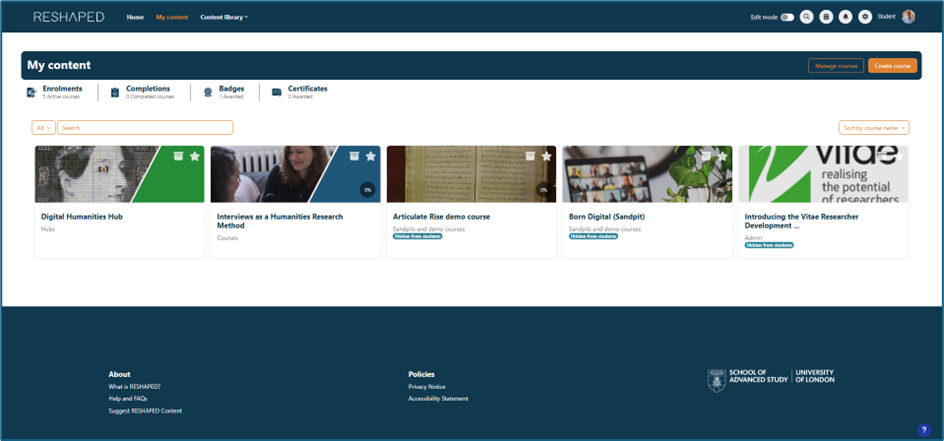
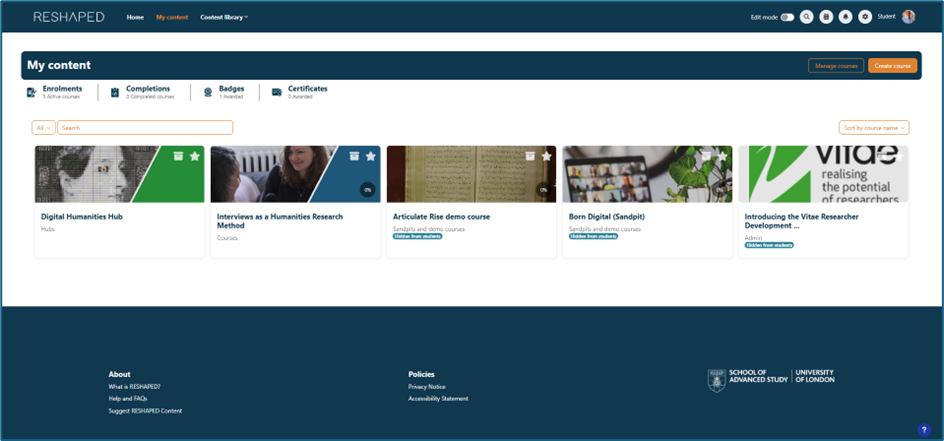
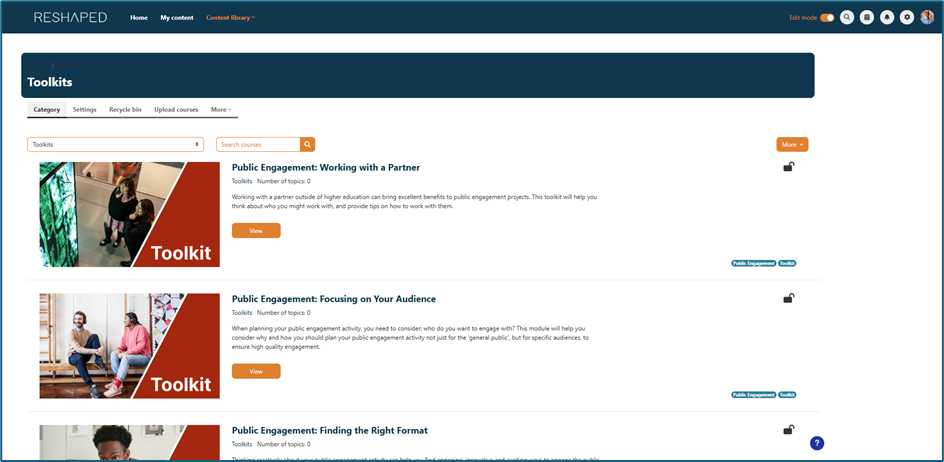
- You can select the ‘Content library’ tab at the top of the homepage and courses from the dropdown menu. This provides a list of the courses available.
- If you have enrolled
yourself on a module, you can access it via the ‘My content’ tab.
How do I get to the hub I want?
There are three ways to do this.
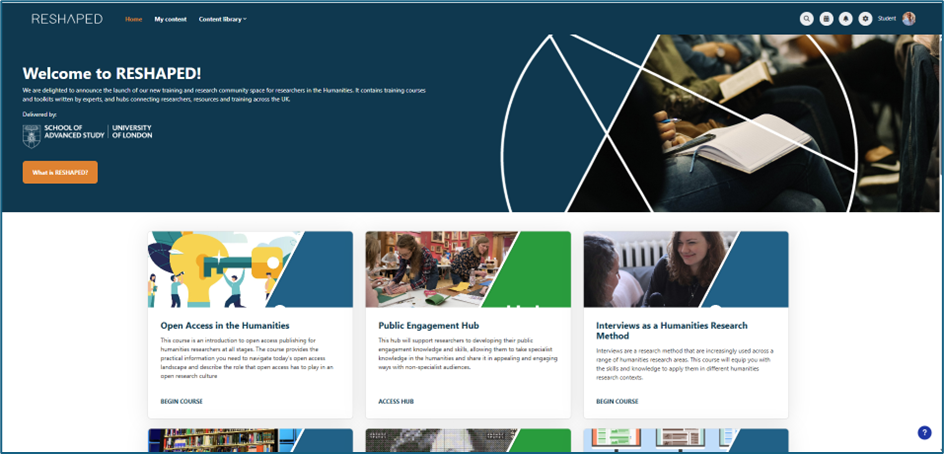
- You can select the course you want from the collection at the foot of the homepage. Please note that this does not include all the hubs available and includes some courses and toolkits.
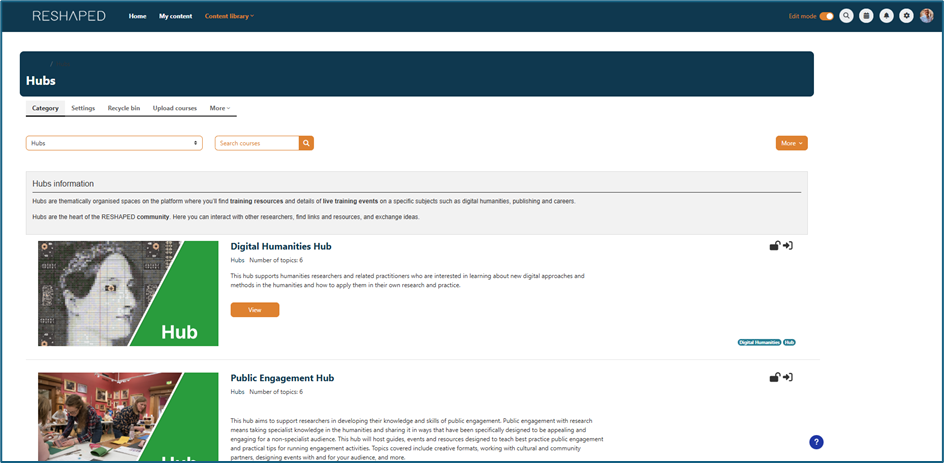
- You can select the ‘Content
library’ tab at the top of the homepage and 'hubs' from the dropdown menu.
This provides a list of the hubs available.
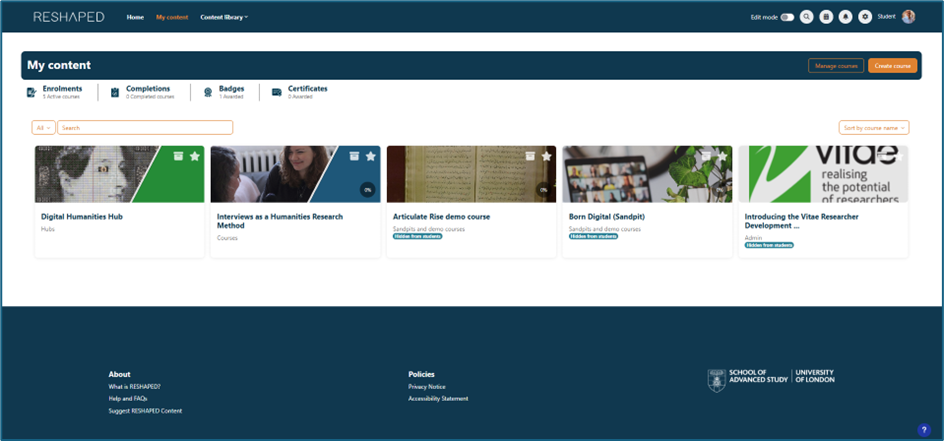
- If you have enrolled yourself on a hub, you can access it via the ‘My content’ tab.
How do I get to the toolkit I want?
There are three ways to do this.
- You can select the toolkit you want from the collection at the foot of the homepage. Please note that this does not include all the toolkits available and includes some courses and hubs
- You can select the ‘Content library’ tab at the top of the homepage and toolkits from the dropdown menu. This provides a list of the toolkits available.
- If you have enrolled
yourself on a toolkit, you can access it via the ‘My content’ tab.
How do I participate in a forum?
First of all, guest users will not be able to participate in a forum although they will be able to view the contributions that have been made.
If you have logged into RESHAPED and are enrolled on a course, toolkit or hub, you will need to do the following.
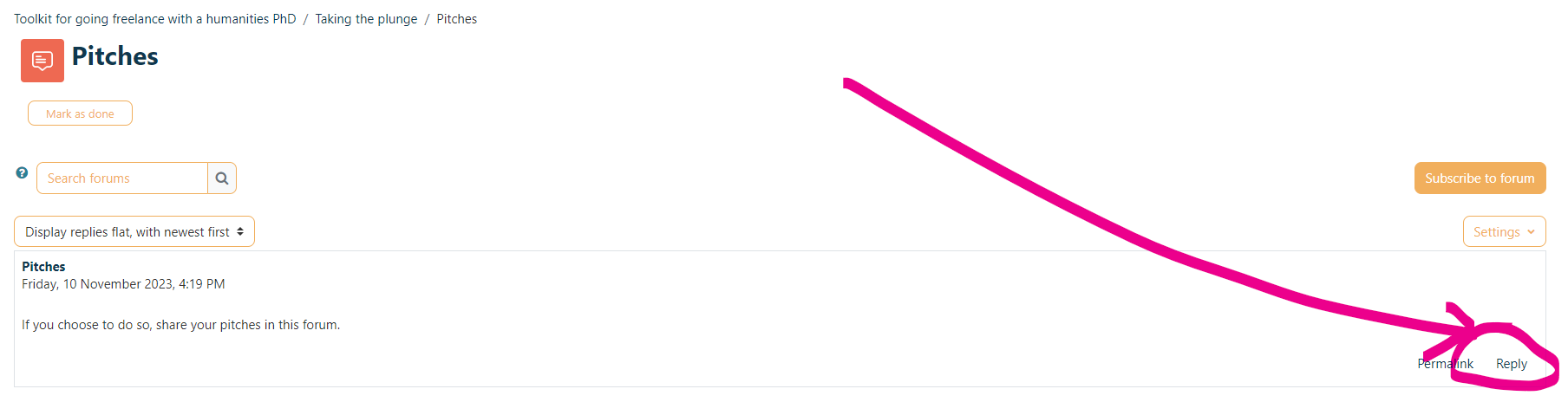
- Select the forum to which you would like to post, for example:
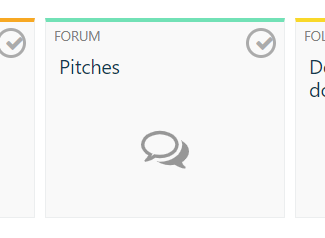
2. You can reply to the post prompt by selecting 'Reply' in the bottom right-hand corner
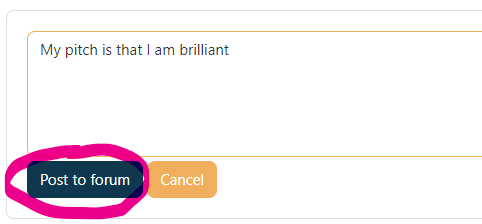
3. Select 'Post to Forum'
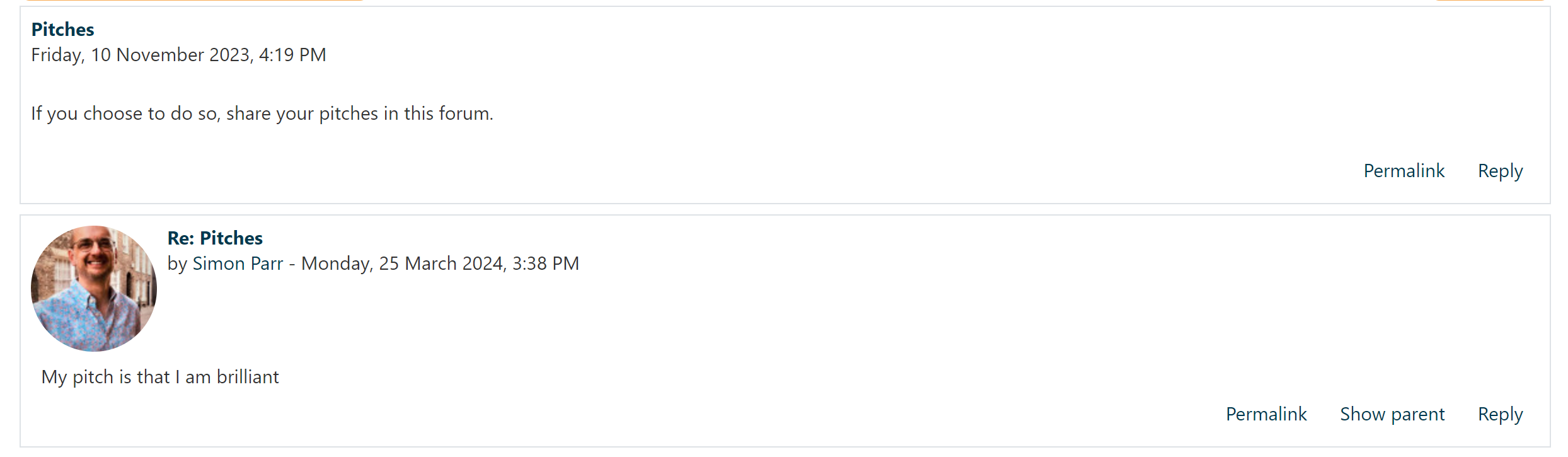
4. Your reply should now appear
5. If you select, 'Subscribe to forum', you will receive email alerts as to when anyone has posted to the forum. Think carefully about activating this.
What is a researcher pathway?
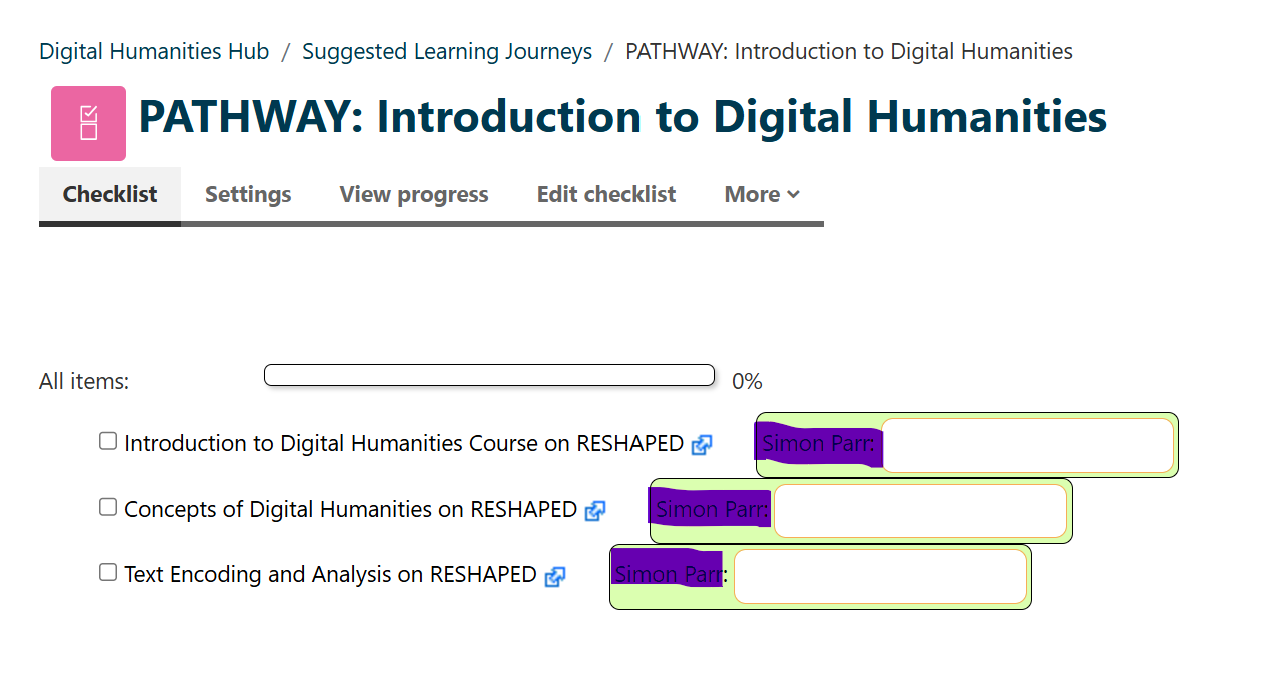
A learning journey/researcher pathway provides a structured route towards proficiency in your development as a researcher. It presents you with a checklist of courses, resources and activities to access and complete. These pathways are located in the hubs.
Who do I contact?
Issues with the platform? Error in the content? If you see an error that you want to report, you can contact the RESHAPED team at the following address: reshaped@sas.ac.uk.
How do I enable pop-ups on my device?
Some RESHAPED activities will require a new tab or window to open. Some web browsers do not allow pop-ups to open by default and block them automatically. If pop-ups are blocked on your browser, the activity may not open correctly.
Below are instructions for enabling pop-ups in various browsers:
Google Chrome: Go to Settings > Privacy and security > Site settings > Pop-ups and redirects > Allow pop-ups for this site.
-
Mozilla Firefox: Go to Options > Privacy & Security > Permissions > Uncheck "Block pop-up windows" or add this site as an exception.
-
Microsoft Edge: Go to Settings > Cookies and site permissions > Pop-ups and redirects > Allow pop-ups for this site.
-
Safari (Mac): Go to Safari > Preferences > Websites > Pop-up Windows > Set to "Allow" for this website.
Once pop-ups are enabled, click the Enter button to begin the activity in a new window.